This topic comes up, so thought I’d post some instructions on how to quote a post.
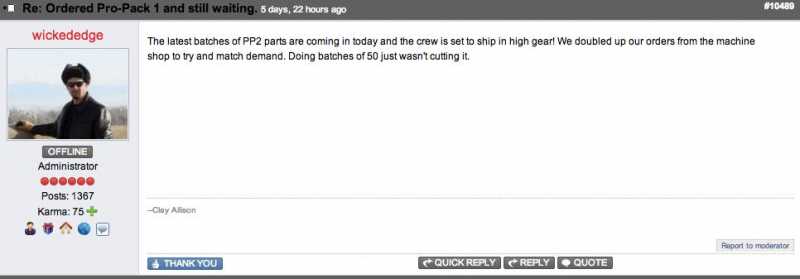
The easiest way, is to just hit the “QUOTE” button. For example, if I want to quote this post…
…simply hit the “QUOTE” button…
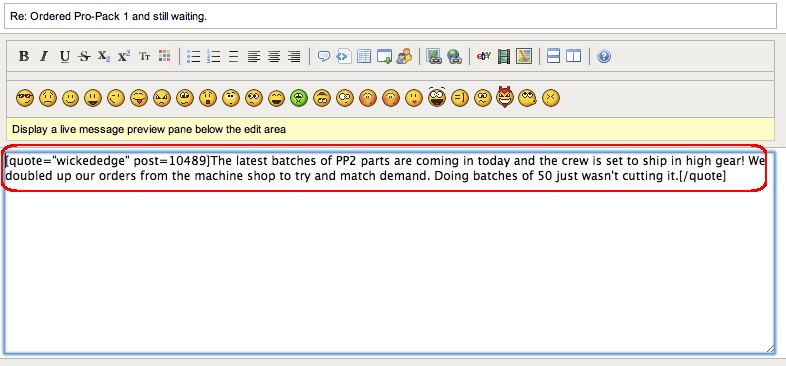
… this starts a reply with the quote already inserted (and shows who the quote is from).
If want to quote a portion of something, or insert a quote in a reply, copy what you want into your clipboard. Then you can either hit the quote button (located above the text box)…
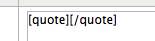
which inserts the code (or you can just type the code)…
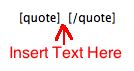
you then type between, or paste your comment in between (this won’t show who a quote is from, just that it’s a quote)…
The most common mistake is not having the code before and after the quote, or deleting one of the ‘[’ or ‘]’ (brackets) at either end.
Hope this helps… feel free to ask questions or add to these instructions if it needs clarifying.
Another tip, say you want multiple quotes from multiple posts…
Quote, edit and reply to the first one, but instead of posting it, I cut it, placing it in my paste buffer. Then go to the next post you want to quote. Quote it and immediately paste in your buffer. Then edit the second one like the first. Do this for as many as you need to.
(failing to paste your initial work in first ALWAYS results in your cutting something in the second post, overwriting your paste buffer ;))
[color color=#0000ff]One more tip on quoting a post. There’s a “Preview” button where you can see how your post is coming out…
[/color]
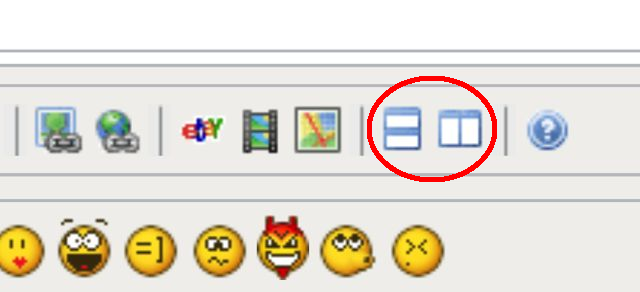
[color color=#0000ff](either on the side or bottom of your post.)
[/color]
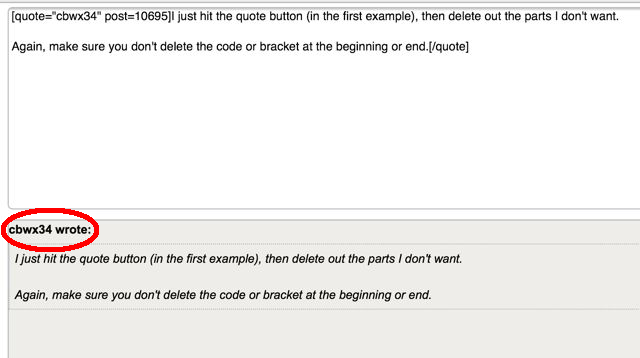
[color color=#0000ff]If you quote correctly, you’ll see the quote properly displayed…
[/color]
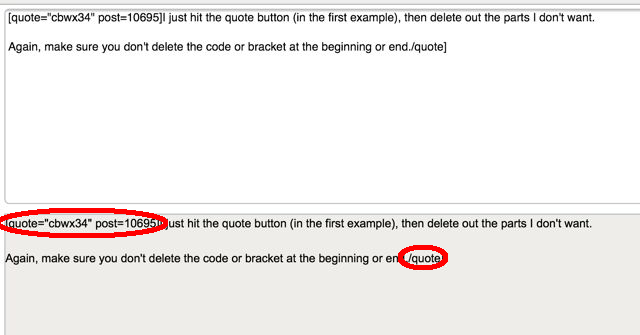
[color color=#0000ff]…however, if you format it incorrectly, (usually by deleting a bracket), you’ll see the “codes” are in the preview…
[/color]
[color color=#0000ff]… so you can check and fix the problem, before you post![/color]
“Bumping” a post means you add a post to a thread, mainly just to bring it back to the top (since most forums are sorted by most recent posts)… you bump it back to the top.